




Be informed about GitHub commits via Twitter, second solution

4 min read1.9.2016
I have developed two solutions for getting informed about source code changes on GitHub, when you are sharing code with other developers. I described one solution in a previous article. This article is describing a second solution. You are welcome to try both approaches, so you can decide which could on work better for you.
Solution 2: Polling the repo for changes
This option is useful, if you don’t have administrative rights to the GitHub repository or you don’t have a publicly available server to run your MuleSoft instance. Your MuleSoft instance doesn’t have to run all day and the application can run locally on your computer. Messages that were not delivered, while your MuleSoft instance was down get synchronised when instance is restarted.
Here comes the process schema:
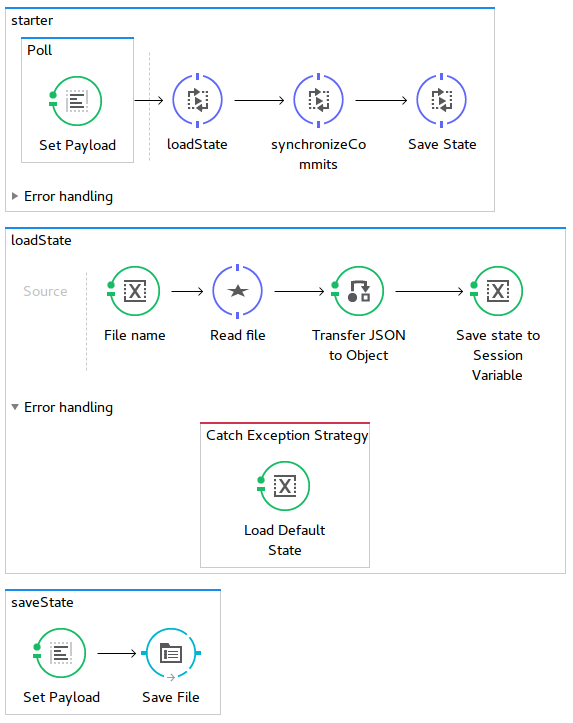
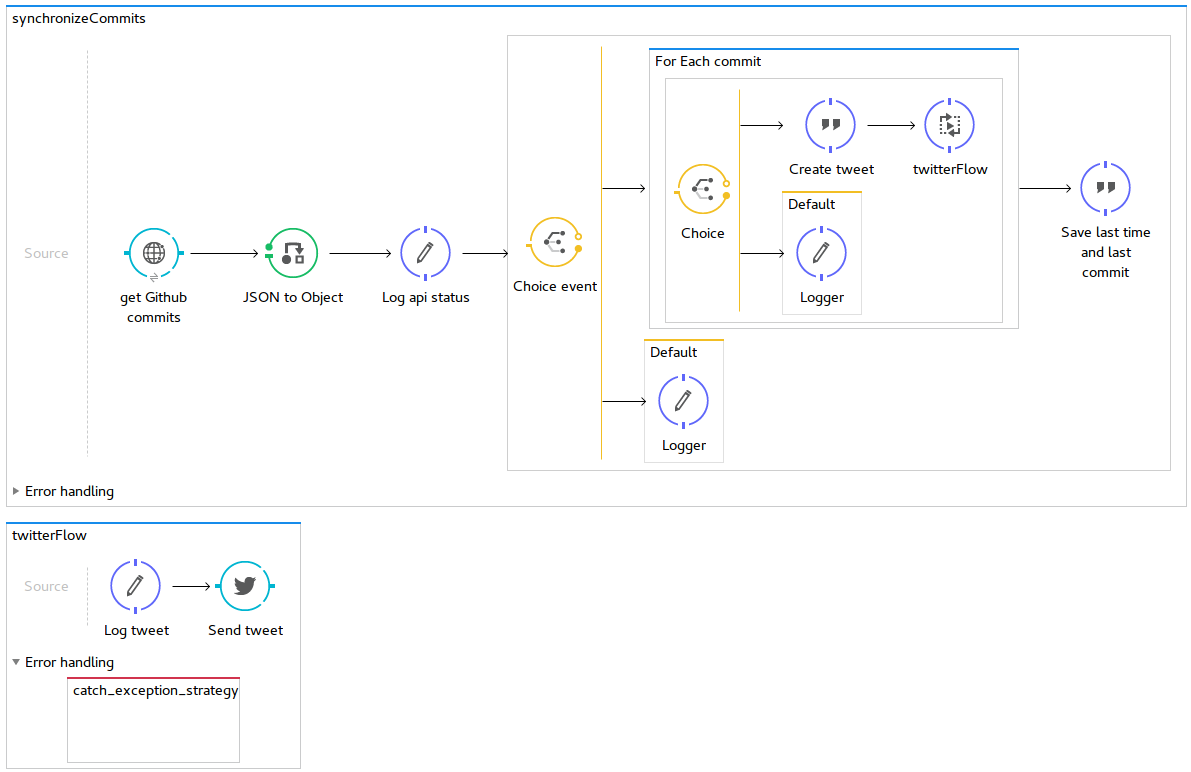
This process is started in every 10 seconds. The flow is synchronous, the new process doesn’t start while the old one is still running. The program does a diff of all GitHub commits to a file that stores commits that were already sent to Twitter, then it downloads the new/unsent commits via the GitHub API. Each of downloaded commits is sent to Twitter via the Twitter API. The information about the newly processed commits is saved back to the file.
Here is the source code of the application that I developed for this Solution:
https://github.com/profiq/mulesoft-github-to-twitter/tree/master/localServer
So how you deploy these solution?
The installation of Anypoint studio and the setup of the Twitter connector are described in the previous article. You will need to use the project named localServer.
Setup GitHub API access
Anonymous access to GitHub API is limited to 60 requests per hour.
- Create a new access token to make 5000 request per hour. Here is a screenshot of what you need to do:
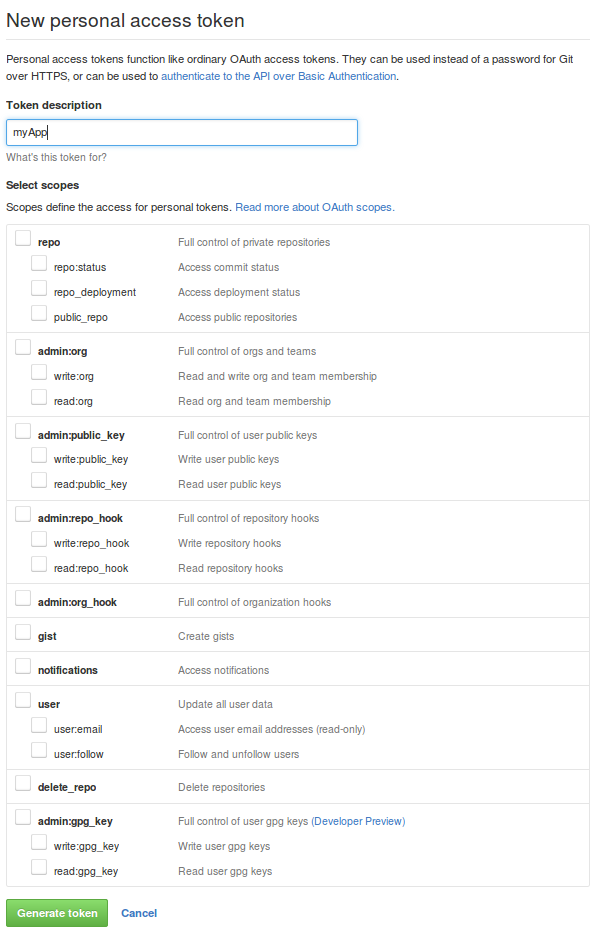
- Just fill the Token description and generate the token. You can use the generated token as a password to the GitHub API.
- Open your project XML definition and find the “http:digest-authentication”tag. Assign your GitHub username to username and the generated token to password.
The rest of the setup such as Server setup, deployment of the app to the server and testing of the final solution is the same as in the previous article. The only exception is that this solution does not require GitHub webhook setup, so you can skip it.
Summary
The integration using this second solution went pretty smoothly too! I hope you will be able to achieve the same based on this description and eventually you will have a chance to decide which of the two solutions could work better for you based on your administration abilities. Enjoy the usage and send your feedback, if any.