





OpenIDM: Using MS SQL as internal repository

5 min read7.2.2013
As of the newest builds of OpenIDM 2.1.0 Xpress, among the others, a capability to use a MS SQL as internal repository has been added. Following lines will describe how you can set up Microsoft’s SQL database as OpenIDM’s internal repository.
Step one:
Prepare your MS SQL server
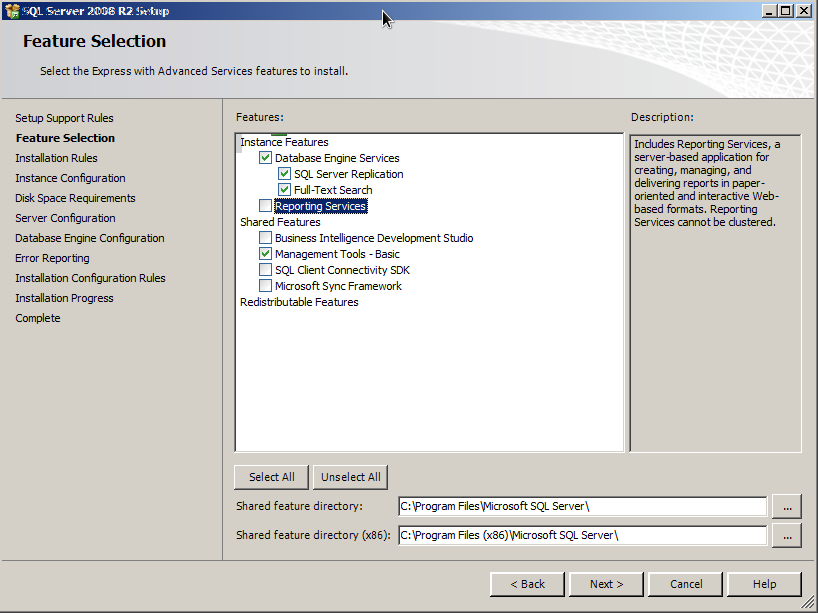
Download and install MS SQL Server. For this article MS SQL 2008 R2 EXPRESS has been used. As of today, there is only MS SQL Server 2008 R2 officialy supported. However, it SHOULD work with all MS SQL Servers since MS SQL Server 2008.
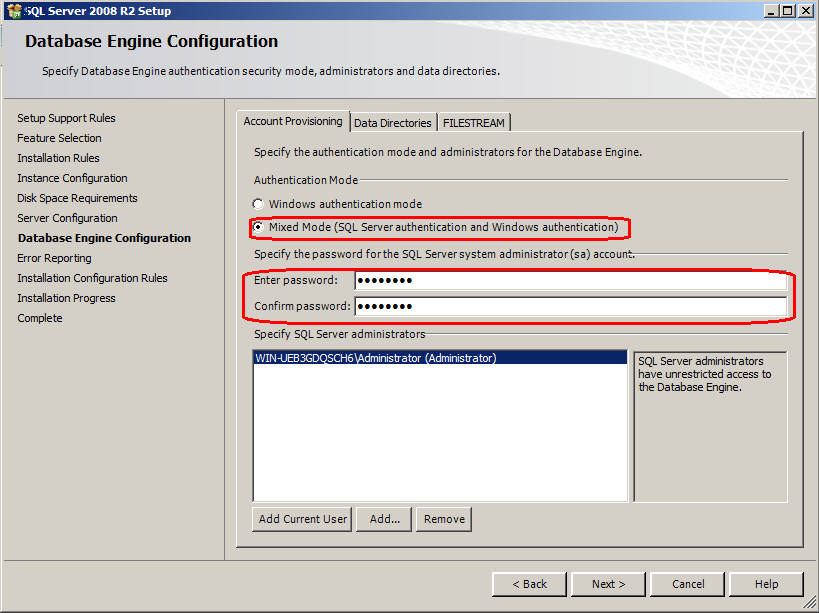
During the installation you will be prompted if you want to use Windows authentication only or you want to allow also SQL authentication. In order to use MS SQL as OpenIDM’s repository, you have to allow SQL authentication as well.
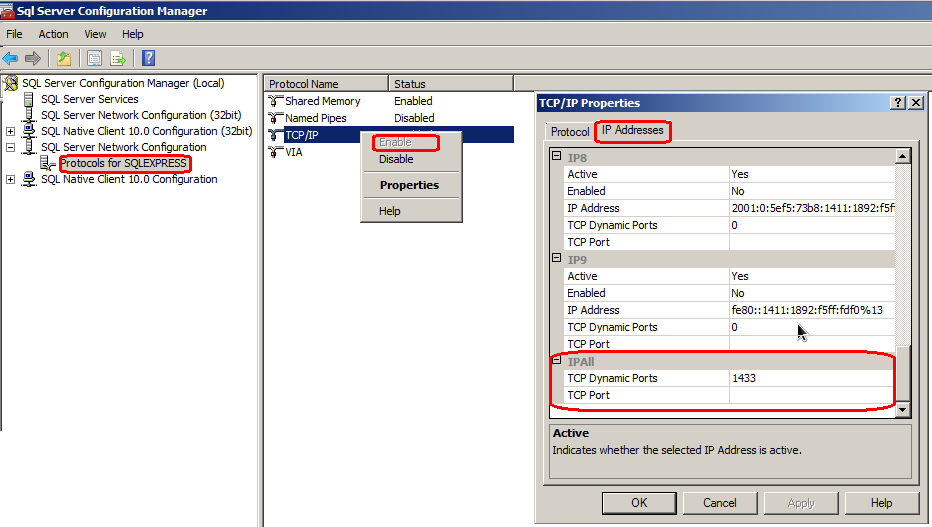
Once the installation is finished, run the SQL Server Configuration Manager. Open SQL Server Network Configuration, click on Protocols for SQLEXPRESS, enable TCP/IP. When the TCP/IP is enabled double-click on TCP/IP, tab IP Addresses. There you can setup to which IP addresses and ports will the server listen. For this article, we will use the very last one – IPAll. Set the TCP Dynamic port to 1433 (The 1433 is default port for MS SQL.). And also don’t forget to adjust your firewall settings.
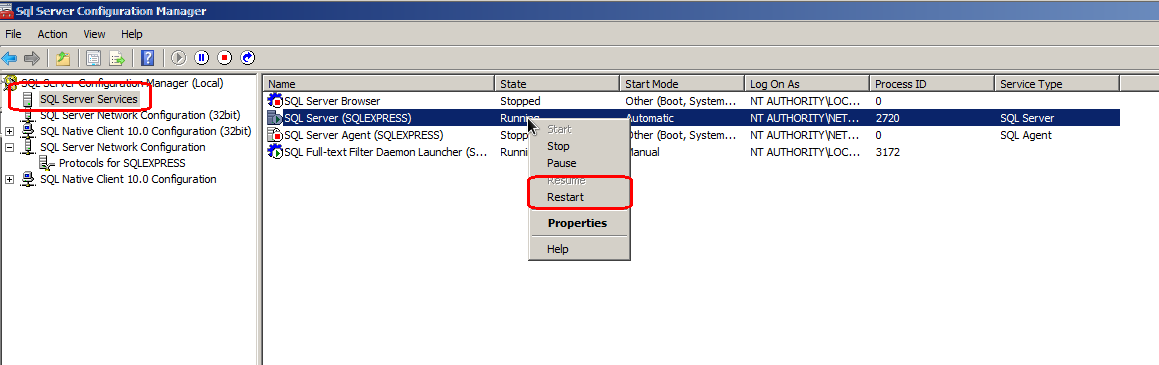
To apply new configuration the SQL Server has to be restarted. This can be done in SQL Server Services.
As a next step, run Microsoft SQL Server Management Studio (SSMS) (Comes with MS SQL Server. If not, download it from Microsoft’s web pages.) and login as a current user (e.g. Administrator).
Then open OpenIDM’s database definition SQL script from openidm/db/scripts/mssql/openidm.sql (File -> Open -> file or use shortcut ctrl + O) and execute it. The script will create a new database openidm and two new users – openidm and openidm_proxy. The default password for both users is ‘Passw0rd’.
And that is it. The MS SQL Server is ready.
Step two:
Configure OpenIDM to use MS SQL Server as repository
There are few steps that need to be followed configure it – in short: you need to add jdbc driver to bundles and switch the repo.json files. So, let’s describe it in more detail.
Following steps to create jdbc driver jar file can also be found in openidm/db/scripts/mssql/sqljdbc4.bnd:
- Download sqljdbc_4.0.2206.100_enu.tar.gz from http://www.microsoft.com/en-us/download/details.aspx?id=11774 and extract sqljdbc4.jar from it.
- Then download biz.aQute.bnd.jar from http://dl.dropbox.com/u/2590603/bnd/biz.aQute.bnd.jar.
- Put both files to openidm/db/scripts/mssql/ folder and run following command from command line
java -jar biz.aQute.bnd.jar wrap -properties sqljdbc4.bnd sqljdbc4.jar- as result a sqljdbc4.bar should be generated. Rename it to sqljdbc4-osgi.jar and copy it to openidm/bundle.
One last thing is remaining and the setup is complete.
As of a day of writing this blog, there are only three kinds of resources supported as OpenIDM’s repository; namely OrientDB, MySQL and MS SQL. The repository configuration file for OrientDB is called repo.orientdb.json and for MS SQL and MySQL is a common name – repo.jdbc.json. So, go to openidm/samples/misc and locate repo.jdbc-mssql.json which is pre-configured configuration file for MS SQL and copy it to openidm/conf directory.
Once the file is copied, rename it to repo.jdbc.json. However, the OpenIDM requires only one repository configuration file to be present in conf directory, so the other one has to be either deleted (in case of repo.orientdb.json) or overwritten (in case of repo.jdbc.json). If you are using another user to access the repository than the user created by SQL defenition script (user openidm), you need to change the credentials in repo.jdbc.json.
Now the configuration is complete and you can start OpenIDM and check if the MS SQL repo is working.