




Using OpenDJ as publishing directory for Red Hat Certificate System

1 min read3.4.2012
This is the first article in the series where we would like to focus on the integration of Red Hat Certificate System (RHCS) and ForgeRock OpenDJ.
We will start with the simplest use case – using OpenDJ as a publishing directory for RHCS Certificate Authority (CA). When you are running a Certificate Authority, the certificates have to be published typically in a LDAP directory which stores user information. The scenario would be:
- the company has a corporate LDAP directory running on OpenDJ which stores the information about the employee and client identity (and has to associate it respective user accounts with their digital certificates);
- RHCS is introduced to manage (and publish) digital certificates for the existing accounts.
Initial assumption is:
- the RHCS CA has already been configured and the instance is running, and
- OpenDJ has been set up and running, and it has a basic DIT structure as follows:
dc=example, dc=com
ou=People, dc=example, dc=com
RHCS certificate publishing works in the following way:
- once the certificate has been approved by the security officer the CA software looks up the rule of type ‘certs’ (user certificates, server certificates, etc. as opposed to CA certificates, CRL lists, etc.) and which defines the ‘mapper’ and the ‘publisher’ plug-ins;
- particular ‘mapper’ configures a plugin which handles the mapping between the certificate subject DN and the LDAP entry DN;
- based on the mapper rule, RHCS composes the LDAP entry DN and performs a search to make sure the entry exists;
- if found, the ‘publisher’ definition is looked-up which defines the attribute which should hold the certificate (typically, ‘certificate;binary’),
- and the entry is updated with it’s digital certificate.
To enable publishing we would need to open the pkiconsole GUI and take it from there:
pkiconsole https://<FQDN of your CA>:9443/ca
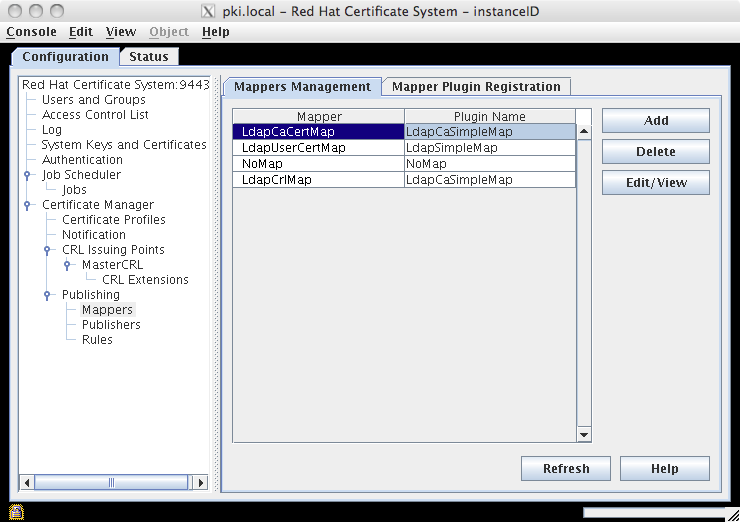
Once it opens, click on Certificate Manager – Publishing – Mappers option, then mark LdapCaCertMap in the Mappers Management tab, and click on the Edit/View button:
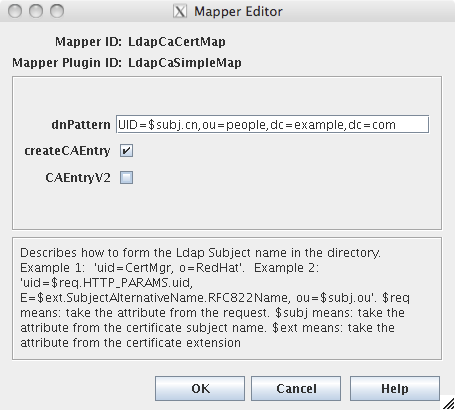
The Mapper Editor maps the subject DN from the certificate to the entry in the LDAP directory. It defaults to ‘uid=$subj.cn,ou=People,o=$subj.o’ where ‘$subj’ represents the corresponding component from the subject DN (cn and o). In particular, if you create a certificate for a user whose subject DN is: ‘uid=euser,e=euser@localhost,cn=Example User,o=Example Corp,c=CZ’ then RHCS would try to map it using this rule to the following LDAP DN: ‘uid=euser,ou=People,o=Example Corp’. Since we chose the LDAP suffix to be quite unoriginal: ‘dc=example,dc=com’ we need to change the dnPattern field to hardcode the suffix: ‘uid=$subj.cn,ou=People,dc=example,dc=com’.
The same change has to be performed for the LdapUserCertMap and LdapCrlMap mappers.
Of course, RHCS provides several mappers with varying degree of flexibility to adapt the certificate publication to more complex directory structures.
Click on the Certificate Manager – Publishing option.
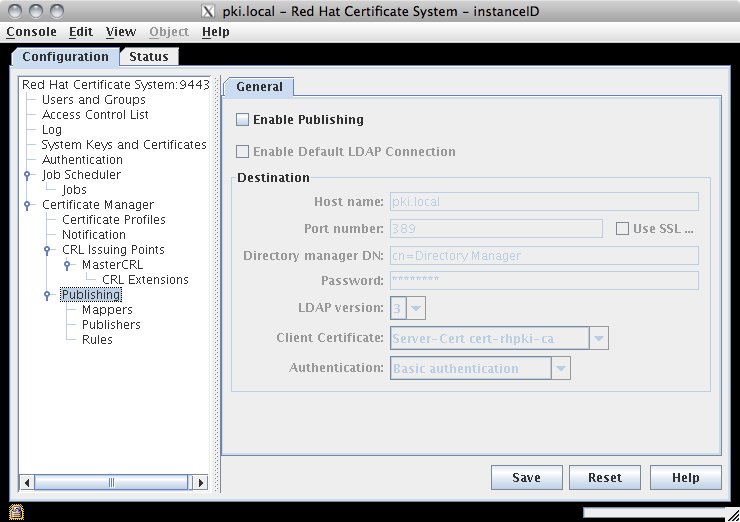
Check the Publishing and Enable Default LDAP Connection checkboxes, and fill in the information about your OpenDJ instance:
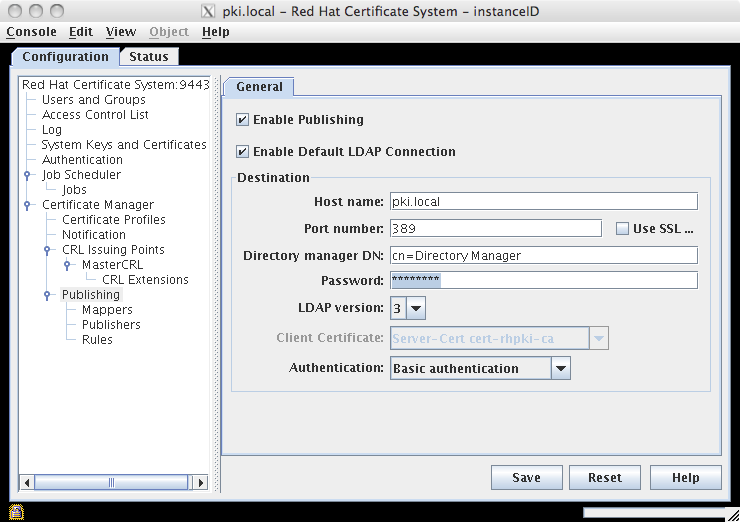
At this point, when a new certificate is approved, it would be automatically published to the directory. Be aware that the entry already has to exist in the directory, because if not, RHCS would not be able to map the subject DN and the update would fail (since it would not have anything to update in the first place). If you end up in such situation, you can create the entry and then manually force the update in the admin UI.