




RaspberryPi Automated Feeder

6 min read3.2.2022
Having fun is the best way to learn.
Albert Einstein
It all started two years ago when our colleague Petr brought his new Beta fish to the office. Before long, everyone knew how to care for the fish and the aquarium. Then, we bought a new tank, and a few months later, an even bigger one.
Fast-forward to Christmas 2020. Since our office closes for nearly two weeks, no one would be available to take care of the fish and the aquarium. So, we moved the fish to our older, mid-sized aquarium and brought it home. But the mid-sized aquarium wasn’t home for long, as you know from an earlier article, it became a Linux aquarium PC. With Christmas 2021 fast approaching, the office locked down, and no option to move the fish to someone’s home, we knew we had to create a new solution—an automated feeder. But how?
A 3-D printed solution
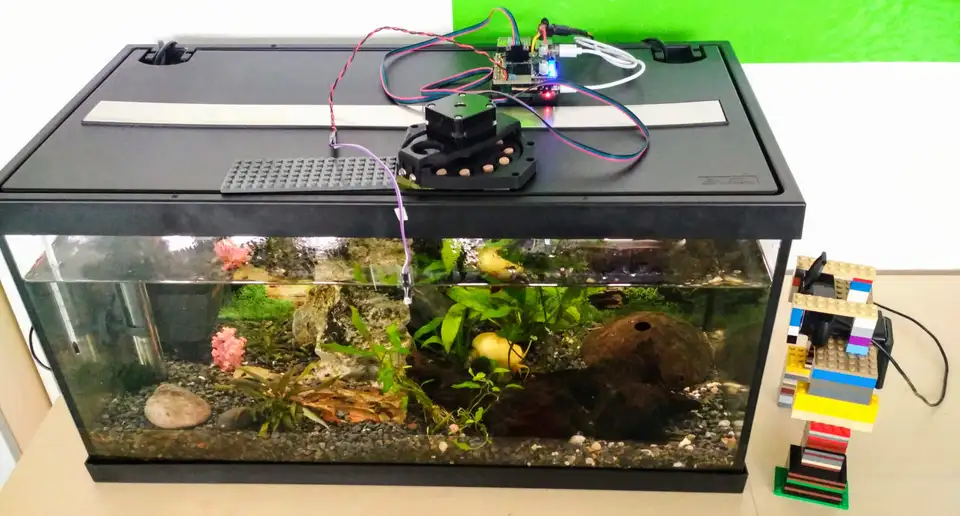
We began to search for solutions. Most of them were expensive or not compatible with our fish tank or fish food. The idea of creating our own feeder occurred to us, and we found an ideal model on ThingiVerse.com, a rotary, single serving feeder, and put Ondra, our 3-D printer guy, to work.
First, he modified the model a bit to work with his own stepper motor. Then, he printed the first prototype, which actually worked! Then we remembered that the fish has a tank mate, a snail. The snail’s food was bigger than the bowl in the feeder. So we needed to do the next iteration and print the inner part again with a bigger bowl.
Android Things vs RaspberryPi
We initially thought we could use an Android Things beginner kit, which I got at Google Developer Days in Krakow, Poland in 2017. I quickly learned that the Android Things project was discontinued, as were the images required to make the kit work. I spent the entire weekend trying to find another solution without success. I sat down with my colleagues and brainstormed ideas. Someone remembered we had an unused RaspberryPi in the office, so we decided to use that. Here are the steps we followed to set it up.
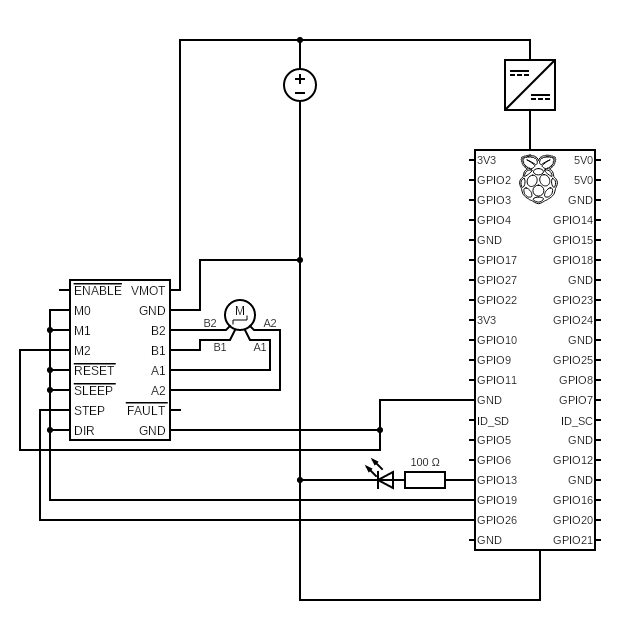
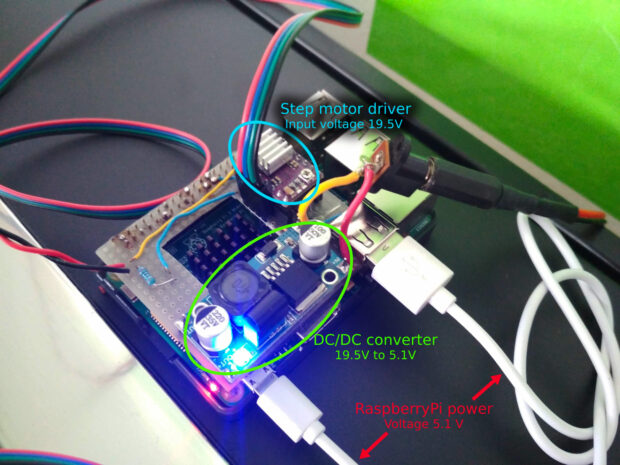
After we set up the RaspberryPi and we were able to control the LED, our next challenge was to find a power source. The stepper motor driver needs input voltage in the range 8.2 - 45V and a logic voltage between 2.5V and 5.25V. RaspberryPi, on the other hand, needs 5V and has 3.3V GPIO pins. We found an old laptop power adapter that produces 19.5V and made it the sole power supply. The automated feeder also includes a DC/DC step-down module to power the RaspberryPi.
CRON with Python script and monitoring
With our power sources in place, it was now programming time. Since RaspberryOS comes with some nice integration with Python, controlling general-purpose inputs outputs (GPIO) is super- easy. Call me a control freak, but I needed to be sure this would work flawlessly.
So, in addition to some basic logging into the local file, I also set up monitoring with Healthchecks.io, a free service for hobbyists. It works on the dead man’s switch principle, so if something were to go wrong, it would notify us in our Slack channel. And, for the worst case scenario, we assigned a static IP address and set up port-forwarding to have access with SSH into the RaspberryPi.
The Python script itself was executed regularly every hour by a cron job, with the last feeding time controlled programmatically. In case of a power outage, the fish and snail would be fed not at their regular 8:00 a.m. feeding time, but after the outage ended. You can find the full script in our public Gitlab repository.
Visual feedback with a non-stop stream to YouTube
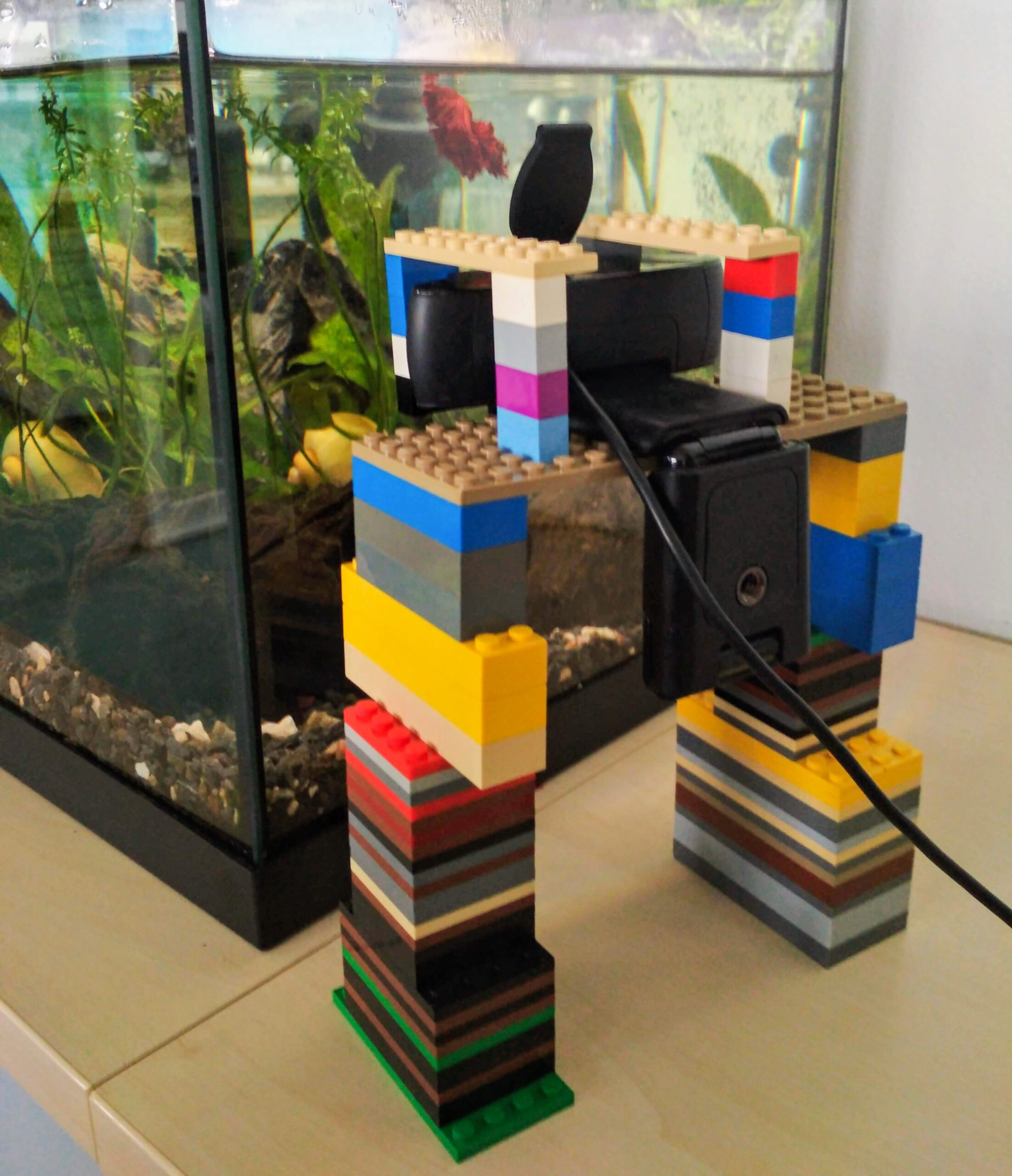
Access with SSH, logging, and monitoring might check the software behavior. Because the feeder is a piece of hardware, it is much harder to monitor. So, we decided to do a stream with a web camera on YouTube. We prepared a script and used the FFmpeg tool to run the stream. You can find the prepared script in our public Gitlab repository, too.
Time is not always a developer’s friend, and we waited until our last days in the office to develop and test drive our feeder. As a result, we weren’t able to optimize streaming as much as we wanted to. The stream was in 640 x 480 resolution, 15 FPS, and it still uses almost 95% of CPU time. For safety reasons, we used another Raspberry Pi solely for streaming. Even if it failed, it wouldn’t affect our feeder.
Oh yes, we succeeded. But what about next year’s improvements?
Had the fish or the snail died during our innovation, you would not be reading this article. And because you are reading it, they survived. Yay! They actually more than survived…they multiplied, and we now have baby snails. Yay again! Although Christmas 2022 is still a year away, we’ve got time to think of improvements. So what’s next for our underwater office mates?
For starters, the ability to feed both snail and fish food in proper quantities. Some days, the fish and snail food stuck together, and on others, it got stuck and only part of it made it into the tank and the rest stayed in the feeder.
We would like to be able to control the direction of the feeder, and include some shaking to get both types of food in the tank. We’ll also be on the lookout for a better streaming setting so we can watch the stream in higher quality.
Have you recreated any of our test runs at home? We’d love to see them and feature them in an upcoming article. Leave a comment here and we’ll get in touch at inventions@profiq.com.